
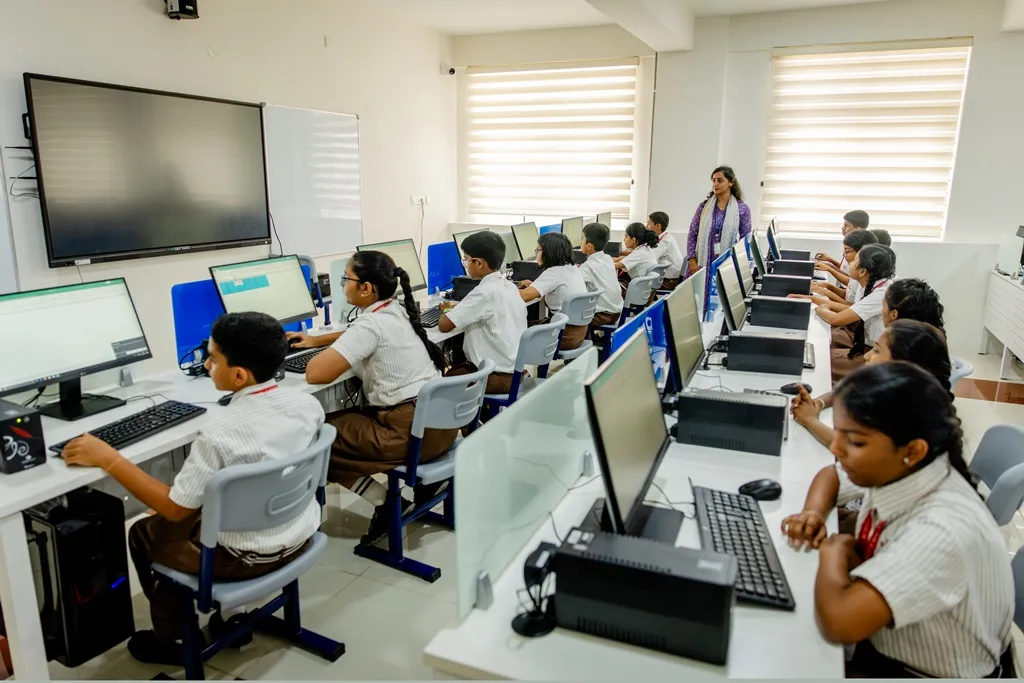
Online safety for students is about helping children use the internet, devices, apps, games, and digital learning platforms safely and responsibly. Parents can support online safety by teaching children how to protect personal information, recognise online risks, use privacy settings, create secure passwords, and speak up when something online makes them uncomfortable.
For today’s students, the digital world is no longer separate from school life. Children may use technology to research assignments, watch educational videos, prepare presentations, collaborate with classmates, or explore subjects they enjoy.
That access creates exciting learning opportunities, but it also means children need the skills to navigate the online world safely.
Why Is Online Safety Important for Students?
The internet helps students learn, communicate, and explore new ideas, but it also has risks like cyberbullying, scams, fake information, strangers, and privacy issues.
Teaching online safety helps children protect their information, make smart choices, and use the internet safely and responsibly.
10 Practical Online Safety Tips for Students
| No. | Online Safety Tip | What Students Should Do |
| 1 | Keep Personal Information Private | Avoid sharing your address, phone number, passwords, school details, location, or personal photos with strangers. |
| 2 | Use Strong Passwords | Create strong passwords and never share them with friends. Use two-step verification when available. |
| 3 | Check Privacy Settings | Review who can see your profile, contact you, and access your location, camera, or photos. |
| 4 | Be Careful With Online Contacts | Do not accept requests or messages from people you do not know in real life. |
| 5 | Think Before Clicking | Avoid unknown links, downloads, pop-ups, and offers that seem too good to be true. |
| 6 | Know How to Handle Cyberbullying | Save evidence, block or report the person, and tell a trusted adult/parent. |
| 7 | Think Before Posting | Consider whether a photo, video, or comment could affect you or someone else before sharing it. |
| 8 | Verify Information Before Trusting It | Verify the source and confirm information before using it for schoolwork or sharing it. |
| 9 | Use Parental Controls Wisely | Follow age-appropriate settings and talk to children about apps, websites, and screen time. |
| 10 | Ask for Help | If something online feels unsafe, uncomfortable, or confusing, tell a parent, teacher, or trusted adult. |
What Should Parents Do If Something Goes Wrong Online?
If your child comes to you with an online safety concern, start by staying calm and listening.
Depending on the situation:
- Let the child explain what happened.
- Save relevant screenshots or other evidence.
- Block or report the account where appropriate.
- Review privacy and security settings.
- Inform the school if another student is involved.
- Seek appropriate professional or official help if the situation involves threats, exploitation, extortion, or potential harm.
UNICEF India also encourages children to speak with a trusted adult when they feel unsafe online.
How Much Screen Time Do Kids Really Need for Online Learning?
Not all screen use is the same. Screen time for students may include research, coding, digital lessons, presentations, or project work, as well as gaming, entertainment, and social media.
Instead of focusing only on the number of hours, parents should consider how the screen is being used and whether the child has a balanced routine.
A healthy routine should include learning, sleep, physical activity, family time, recreation, and offline activities.
How NPS KR Puram Supports Digital Learning
NPS KR Puram helps students develop digital and learning skills through technology-based learning, research, projects, presentations, and collaborative activities.
The school also offers sports, music, dance, theatre, arts, clubs, and educational trips, supporting overall student development both inside and outside the classroom.
For parents in KR Puram and nearby areas, it is useful to consider how a school combines technology, academics, creativity, and student development.
Conclusion
The internet can be a great learning tool when students know how to use it safely. Simple habits like protecting personal information, using strong passwords, checking information, and asking for help can make a big difference.
At NPS KR Puram, students get opportunities to learn through technology, projects, research, and various activities while developing skills for the future.
Looking for a school that supports safe, responsible, and well-rounded learning? Explore admissions or contact us to learn more about admissions and school programmes.
Frequently Asked Questions
1. What is online safety for students?
Online safety means using the internet, devices, apps, games, and digital learning platforms in ways that protect a child’s privacy, security, well-being, and personal information.
2. What are the basic online safety rules for children?
Children should protect passwords and personal information, be careful with unknown contacts and links, use privacy settings, think before posting, and tell a trusted adult when something feels unsafe.
3. How can parents keep children safe online?
Parents can combine age-appropriate supervision, privacy settings, parental controls, secure passwords, digital-literacy education, and regular conversations about online experiences.
4. What should a child do if they experience cyberbullying?
They should avoid escalating the situation, save relevant evidence, block or report the person where appropriate, and tell a trusted adult.
5. How can students identify fake information online?
Students should consider who created the information, whether the source is trustworthy, when it was published, and whether reliable independent sources confirm the same information.




 Call Now